
Architecture
In TIMESlice7, we use a unified MODEL module to manage different kinds of models. In addition to the models provided by the developer, you can also train models yourself inside the MODEL module.
TIP
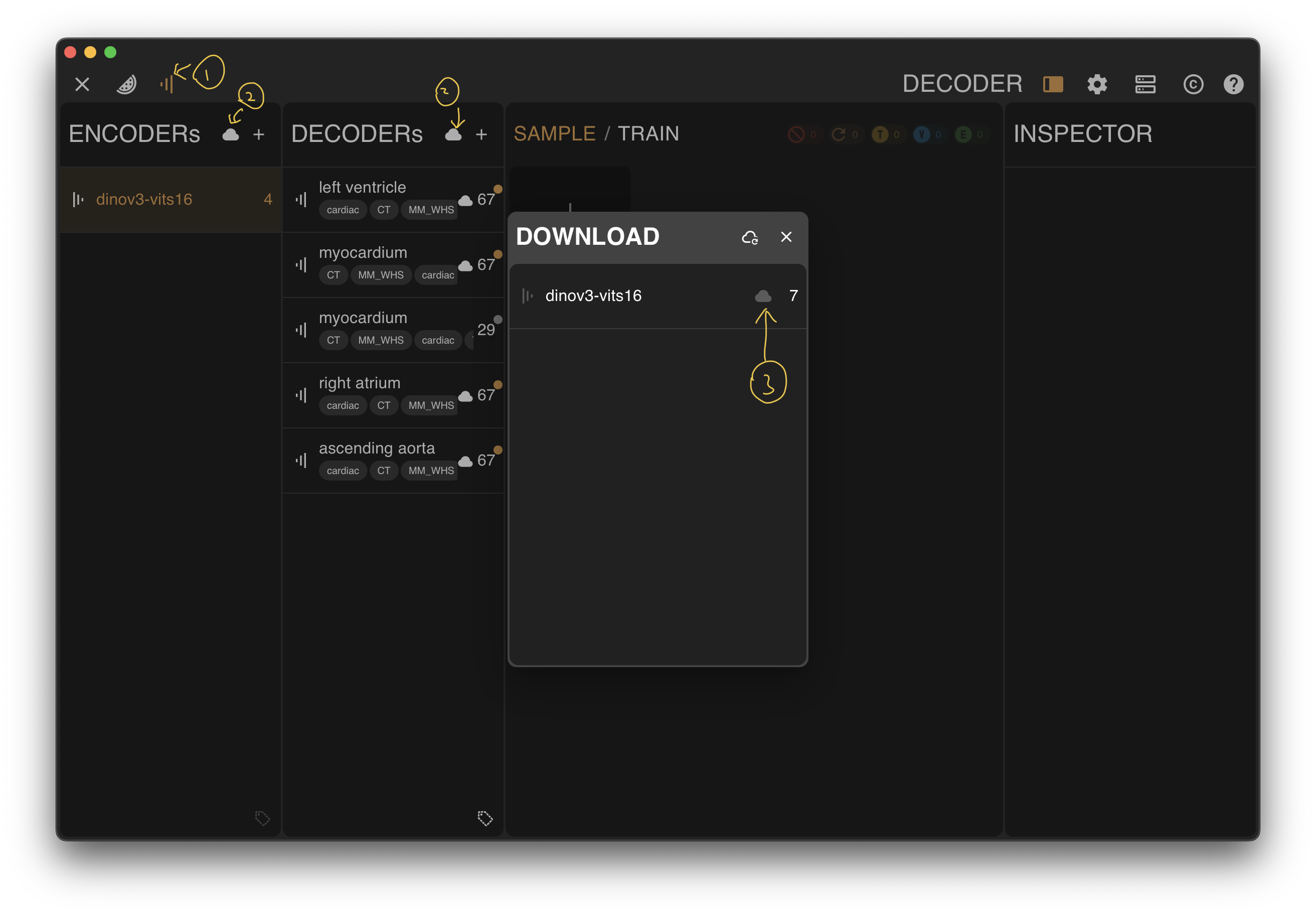
You can download models directly from this site, but if the computer running the software has internet access, it is recommended to download them from inside the software because it is more convenient:
- Open the MODEL module
- Click to show cloud models
- Click the download button for the corresponding item
 If you downloaded a model directly from this website, just drag the model file into the corresponding area of the software to import it.