
Storage
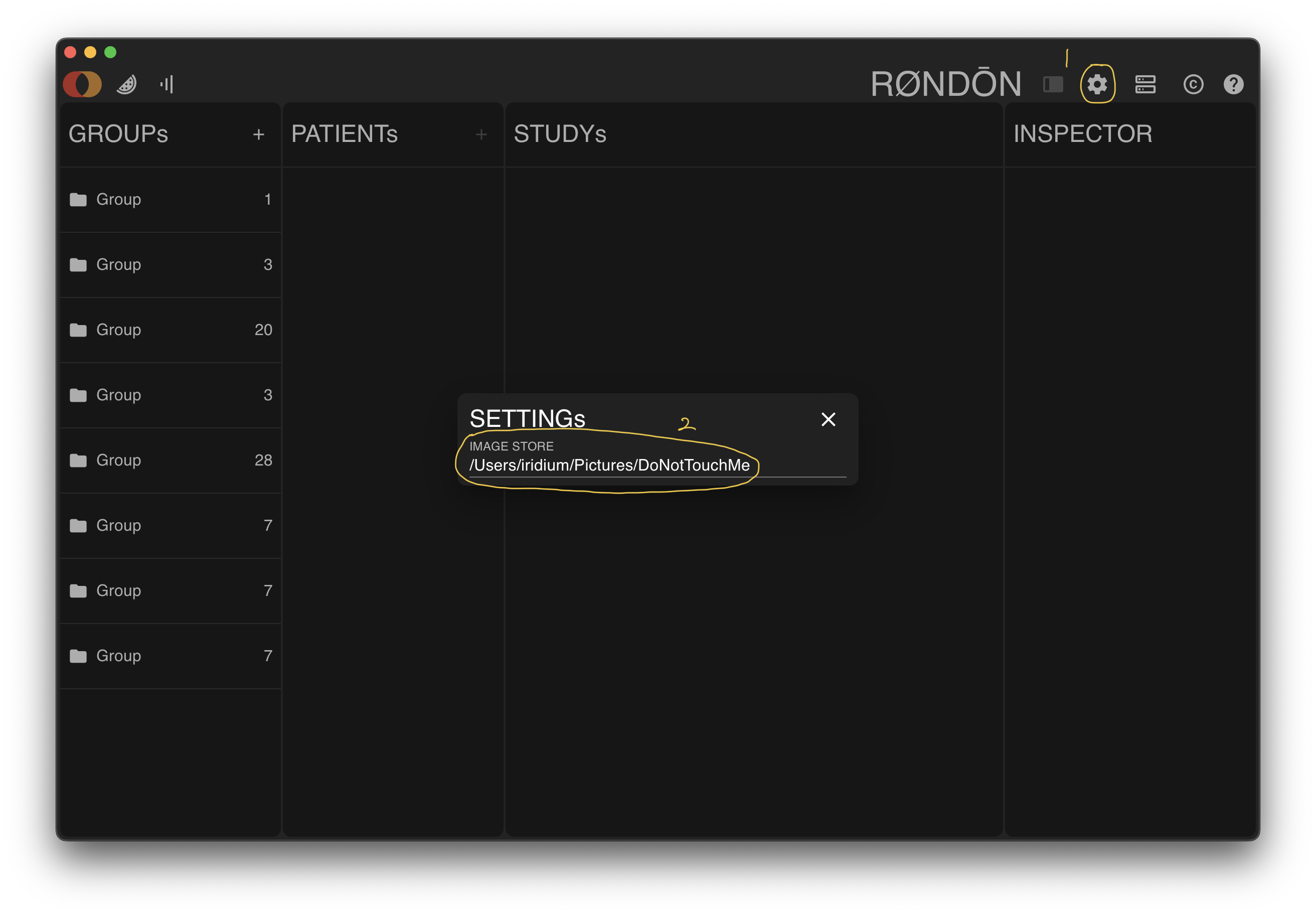
Considering the high storage requirements for medical images, the software requires you to specify a location to store relevant image data when you run it for the first time. After selection, a folder named DoNotTouchMe will be created as the image database.
DANGER
Please do not manually perform any operations on the database folder, otherwise it may cause software abnormalities or even data loss.
WARNING
For Windows users, note that the database path cannot contain Chinese characters.
If you need to adjust the database path, you can:
- Click the settings button in the toolbar
- Click the database path under
IMAGE STORE - Select the new path in the pop-up dialog box
WARNING
If you place the database on a removable storage device (such as a USB flash drive, mobile hard disk, NAS, etc.), please ensure that the device is connected to the computer when using it. Otherwise, the database may be damaged.